


CardsOnline
Photo Check
- Fast review and consistent photo quality.
- Reliable, secure and privacy-friendly.
- Processed immediately after approval.
Ensure high-quality passport photos with automatic photo quality checks. Cut down on rejections, speed up processing, and keep a consistent photo across every ID card and Digital ID.
Available in CardsOnline
Service Portal
Automatically check photos as they’re uploaded.
Import tool
Check photos during bulk import before they’re added.
Add photo(s)
Check the photo when it is added to a record.
Existing photos
Check existing photos individually or in bulk.
Automated photo quality checks
The Photo Check add-on automatically checks passport photos against pre-set quality criteria. Users get instant feedback if a photo doesn’t meet the requirements, while approved photos are immediately ready for use on ID cards and Digital IDs.
Photos are checked for:
- Face detected
- Correct positioning
- Sufficient resolution
- Correct head position
- Sharp image
- Good brightness
- Recent photo
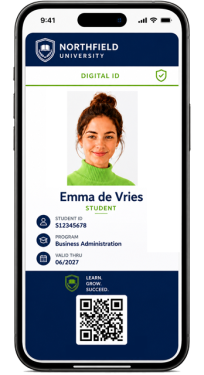
How it works
1. Submit photo(s)
A user/administrator adds a photo via the Service Portal, Import Tool, Add Photo, or from existing photos in CardsOnline.
2. Automatic check
The photo is automatically checked against the configured quality criteria.
3. Approval or rejection
Approved photos are automatically added to the record. If a photo is rejected, the user or administrator receives feedback so they can submit a new one.
4. Use on ID card or Digital ID
The approved photo is used for issuing ID cards and Digital IDs.
Get ID photos right the first time
Discover how CardsOnline Photo Check helps verify photos before they are used on an ID card.